Sending Results
History
From the subject’s Profile, open the Age History tab. All past scan results will appear here.
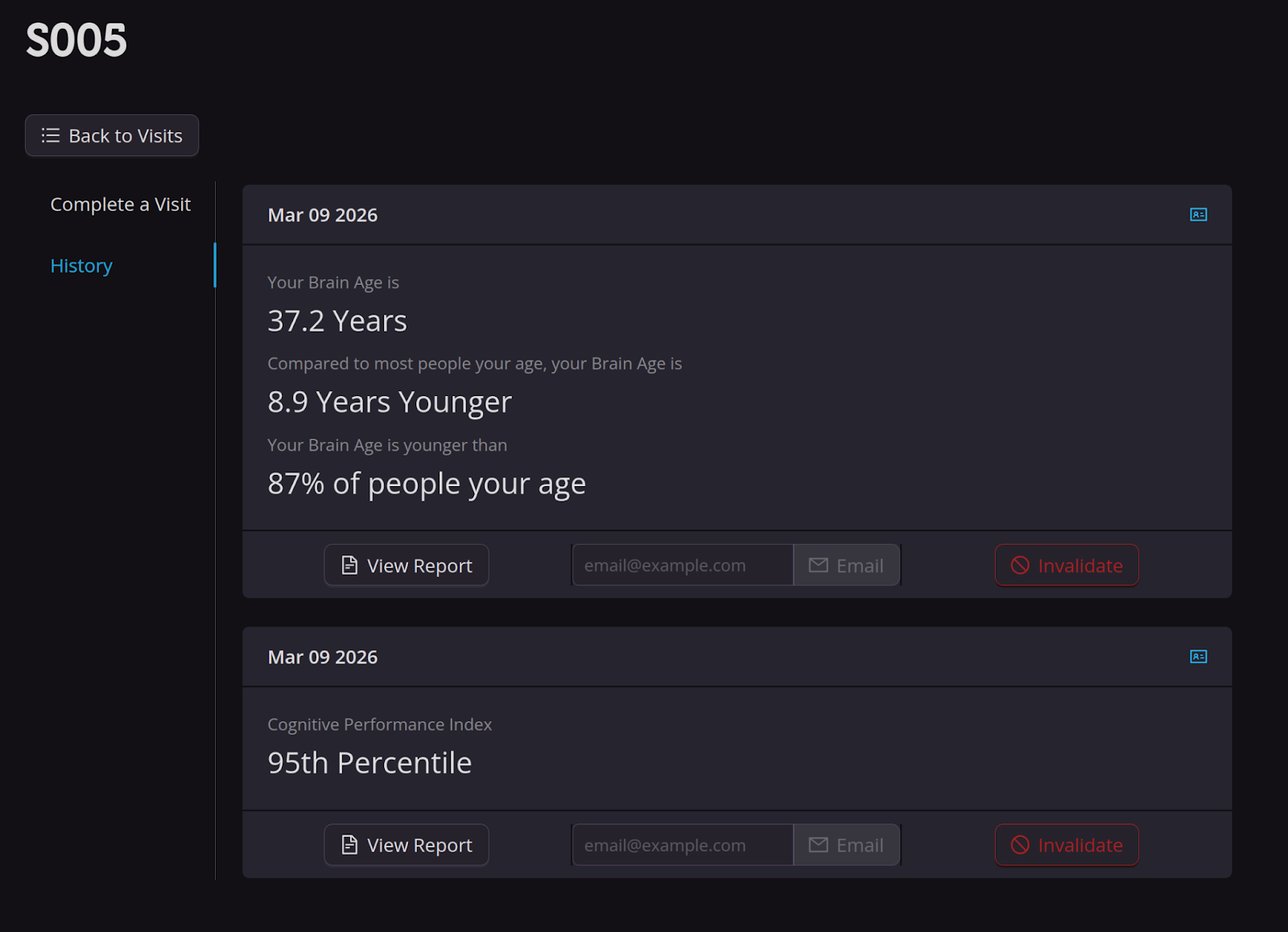
Example Brain Age History Page. This subject had two previous scans.
NOTE:
Results may take up to 30 minutes to generate before appearing in Brain Age History.
Brain Age scans show a single estimated age and age comparisons.
Cognition Tracker display a percentile score.
Click View Report to download a PDF report explaining the results in more detail. This report can be printed or emailed to the participant.
You may send reports directly to a subject using the “Email” function in the History tab. A subject can fill in the preferred email to send the report. If both a Brain Age and Cognition Tracker was done in a single visit, you must click “Email” for both reports to be sent.
If a report is still being processed, an email will be sent to the subject stating that the report is pending.

When the report is ready, an email will be sent to the subject stating the report is ready as an attachment to the email as a PDF or can be viewed in the Kernel Dashboard.


From the same tab, you can invalidate one or more results. Invalidated results are hidden from the participant’s Kernel account. Reasons to invalidate may include the participant did not complete payment or the scan was interrupted/incomplete.
Viewing Results in the Kernel Dashboard
After creating an account, participants can access their Kernel Dashboard, where they can link and explore all Brain Age and Cognition Tracker results.
Home page
On the home page, the participant can see results from all past scans, both Brain Age and Cognition Tracker. Brain Age results appear as an estimated age, while Cognition Tracker results appear as a percentile.
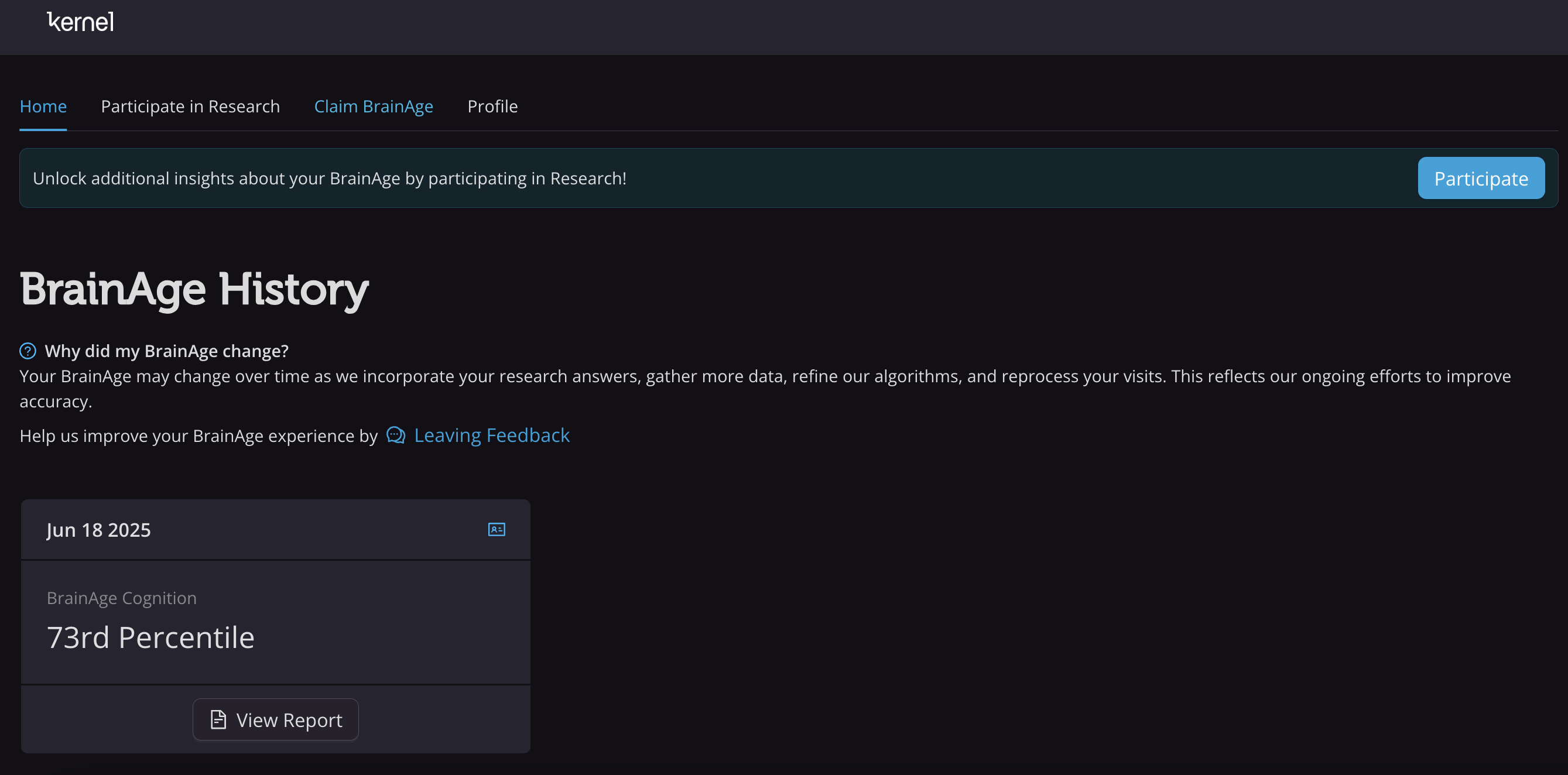
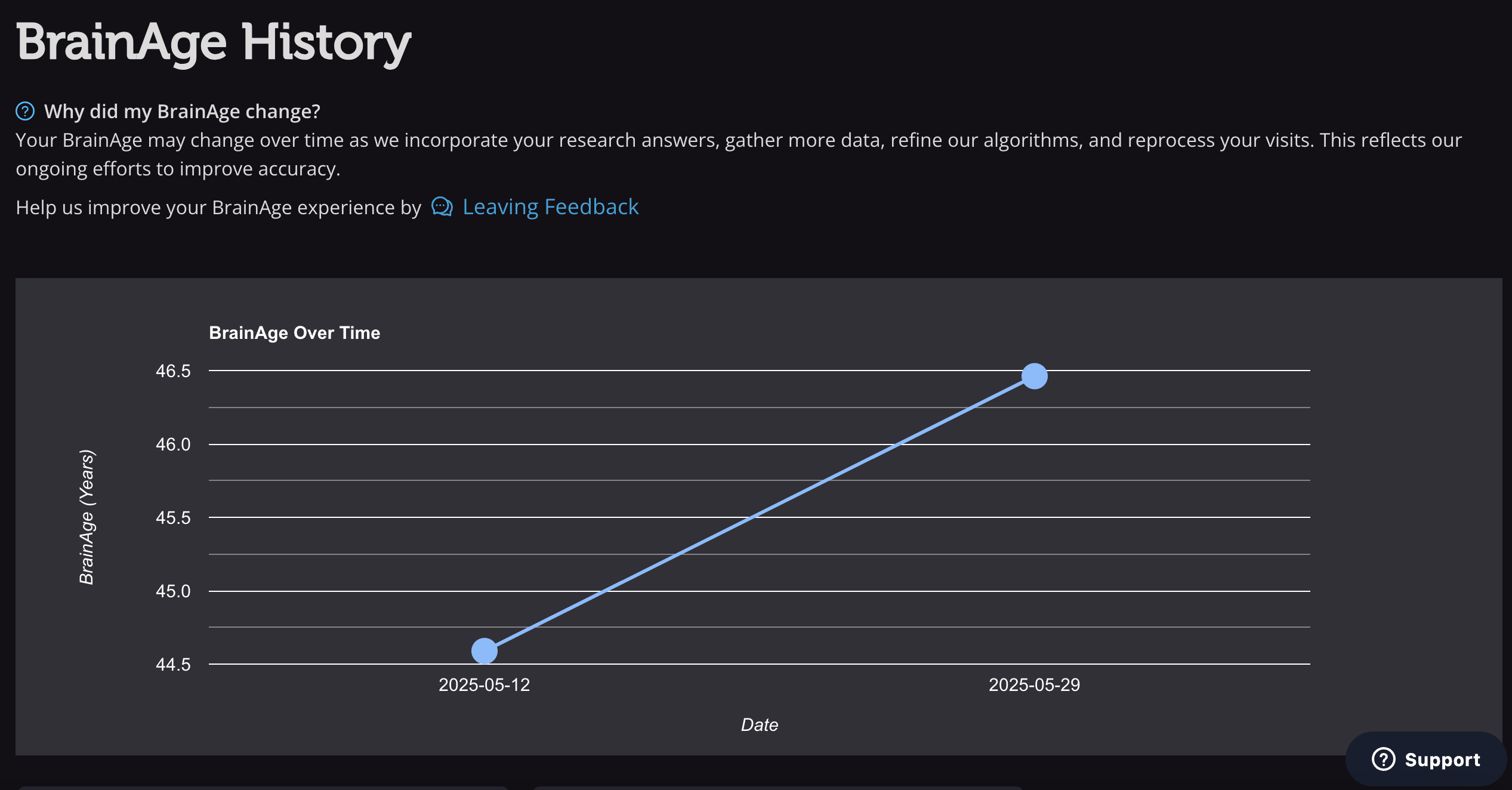
If multiple scans have been completed, results are shown as a line graph over time.
Participate in Research
Under the Participate in Research tab, the participant can opt to share demographic information to help improve the accuracy of the Brain Age and Cognition Tracker models. Providing certain information can also improve the accuracy of existing results.
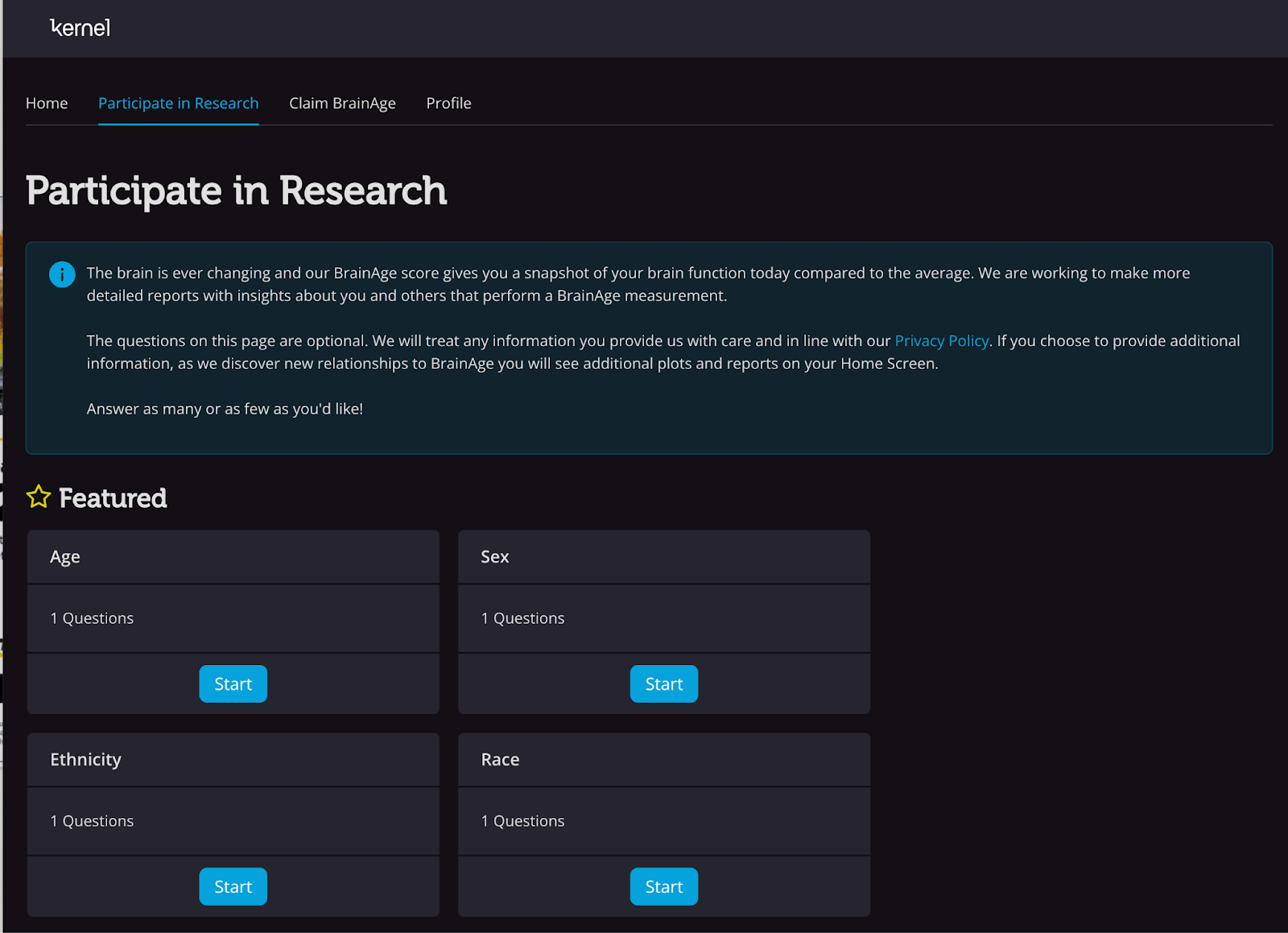
If the true age is provided, it is not used to recalculate a participant’s Brain Age. However, it updates the home page display to show Brain Age Gap (difference between brain and chronological age) rather than an absolute Brain Age. 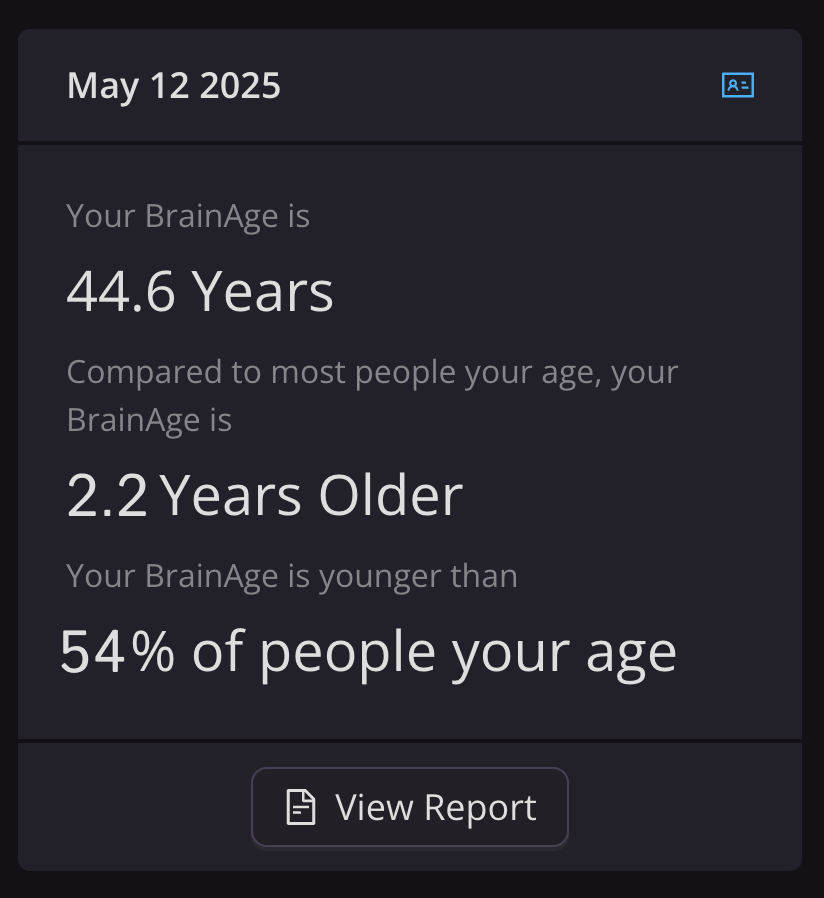
Other demographic updates (e.g., sex-specific data) may prompt recalculated results, which will be labeled accordingly.
Claim Brain Age
Under the Claim Visit tab, participants can view all previously claimed results and can enter new claim codes from additional scans.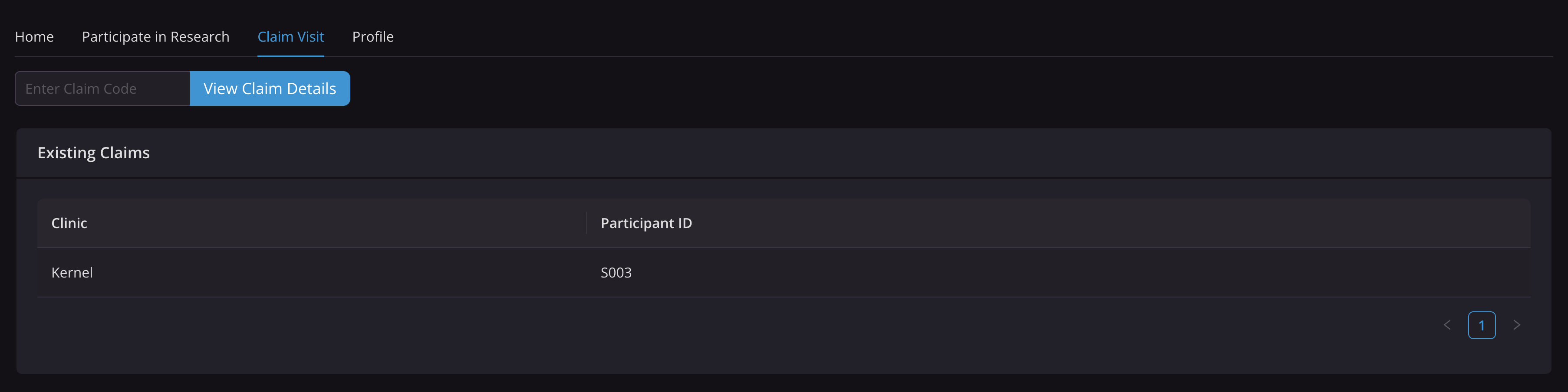
Profile
Under the Profile tab, participant's can edit the email associated with their account or delete their account.