Warnings
The Study Portal is designed to help prevent setup and recording errors. On the recording screen, you may see warning notices indicating issues such as missing modules or low signal quality. These warnings do not prevent you from recording task data. Instead, they serve as prompts to review your setup before proceeding.
If warnings are present, you will be required to acknowledge them before starting the recording. The most common warning indicates that one or more high-priority modules do not have “high” signal quality (≥ 40%). If you have adjusted the headset according to the guidance in Getting the Best Signal, you may acknowledge the warning and continue. This situation is especially common for participants with thick, dark hair.
.png)
Troubleshooting
The Kernel Portal is designed to alert you to any system failures. If a hardware error occurs during operation, the Flow Interface and/or task screen will become a fault screen (example shown below). Follow the on-screen instructions to resolve the issue. In most cases, this will involve powering off the device and restarting the system.
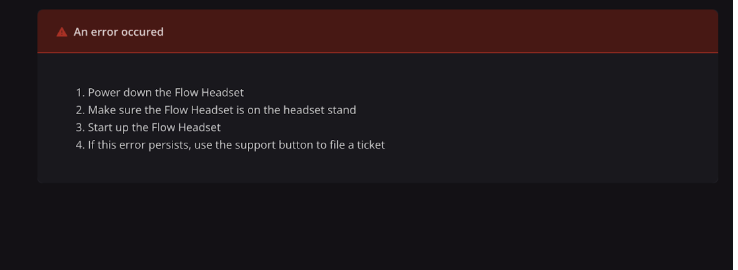

If a hardware fault occurs during a task recording and is successfully resolved, you should re-run the recording at the end of the visit if time permits. Document what happened in the Notes section of the checklist.
If the instructions on the Flow Interface do not resolve the issue, click the Support button located in the bottom-right corner of the Study Portal. Enter your name, email, and a brief description of the problem. Submitting a support ticket alerts the Kernel support team, who will respond within 30 minutes during business hours (PST). The ticket also automatically includes device logs to assist in troubleshooting.
.png)